Silverstone At Sunset
Leaving Silverstone after a fantastic day of drifting Caterhams (19th Nov)

Wildlife on London’s Doorstep

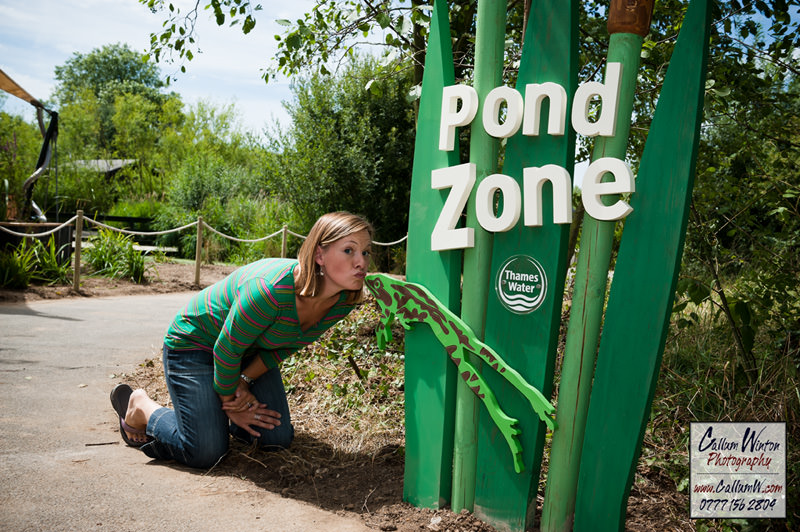
Not much happening at the moment so I thought I’d blog about some commercial photography I did for the Wildfowl & Wetlands Trust (WWT) in mid-July when they were opening a couple of new Hi-Tech Ponds sponsored by Thames Water to add to their park experience.
The 42 hectare London Wetland Centre in Barnes (London) is regarded as the best urban wildlife site in Europe and, as I’d never been before, it was something I was looking forward to.
When the day came it was a scorcher.
The temperature was hovering around 28-30 Celsius which wasn’t ideal when I was carrying around 10kg of equipment on my back and 3kg in my hands, but the scenery in the hot summer sun was stunning.My task was to photograph the opening of the new Interactive Digital Pond as well as their Pond Safari, a remote-controlled underwater camera pond (that water was looking very tempting in that heat).
They were opened by TV wildlife presenter Miranda Krestovnikoff who was great to work with and sharing her love for wildlife with the kids.Following the 2 unveilings I was to take some general scenery images for the WWT to put in their image library which would be used for future advertising, poster, banners etc.
My contact for the day was the very knowledgeable Jamie Wyver and we walked around the park with Jamie showing me the areas of the park which he wanted photographed. We made an efficient team with him getting disclaimer signatures from parents and me getting the shots of the landscape.
At the end of the day the images were given to the WWT to put into their image library for press releases and to Thames Water for their own press releases.
It was a longer day than I expected, but the park was such an amazing place to visit and the time flew by.
Who knew such a jewel sits virtually in the middle of London?
More pics below:


HDR Vs Single Image Editing

HDR Single Exposure This is a follow-on to my previous post HDR Explained
To recap – HDR is a method of blending images to get as much detail as possible from multiple exposures.
In this post I’ll (hopefully) explain why it’s best to avoid it if possible and show you an example of why you don’t really need HDR.So ….. you’ve taken a picture of a landscape and created an HDR composite.
You like it.
Your family and friends like it.
You share it on Flickr and a bunch of sheep say that HDR is rubbish and false and rubbish (x2 so it must be true). Probably because they heard a friend or an ‘internet Pro’ dissing it.The fact is that people can’t say someone is wrong when it comes to a personal opinion or personal taste.
If you like it then you like it, if you don’t then you don’t – there is no right or wrong. But nobody should tell you not to do it just because they don’t like it.So, do I use HDR?
…. er… noI know I just did the big "in defence" thing, but the reality is that, unless you’re a landscape photographer (which I’m not) then in most cases HDR isn’t really practical. It’s a possibility when you have a static subject, but when you want a dynamic image and you’re photographing something like racing or sports or doing portraits then it’s really a no-go.
So to still make your images "pop" then you need to start digging into the areas of lighting and/or more advanced post-processing.
This means you actually have to do some work instead of pressing 2 buttons and letting your computer do the heavy lifting for you 😉At this point you probably want me to show an example so …..
Here’s an example image which I took waaaay back in March this year.
You will see that the image has almost bleached the sky and yet under the car is still soooper dark.
I take the Raw file from the camera and enter it into Lightroom. From here I’ll start making some non-destructive adjustments to the file to the point that it looks something like the file below.

As you’ll see, I’ve recovered a lot of the details back into the image and it now has a better balance. At this point I’d normally export it for a client to see as part of their online gallery/contact sheet so they can make their selections.
Normally this would be 95% there, but cars can usually take quite a hard edit, so from Lightroom I’ll export the image as a 16bit TIFF (for maximum detail) into Photoshop.
In PS I’ll start running through some actions that I’ve built with an aim to get to the image I have in my head. In the example below – this took me a little while to do which is why I’ll only do it on client selected images, not all of them.
This to my eye is the way it should look with perhaps some final polish to finish it off.
Part of my editing involves "painting" in the detail and dynamic elements to the image, whereas with HDR it’s like pouring a bucket over the picture and what you get is what you get.Generally speaking HDR looks quite flat because the contrast has been eliminated during the blend, but it also tends to look "soft" too. You’ll see the processed single image is 100% pin sharp and has depth and form created by the contrast.
So, by taking the time to build some PS experience I can create something I’m happy with.
So there you have it. HDR Vs Single image editing. No composites or pulling elements from other pictures. It’s enough to catch someone’s eye and if you look deeper you can see it’s edited, but not enough to make it too detailed and flat the way HDR does.
For more examples of single exposure editing – see my earlier post on Colonsay Panoramas. Some of those were stitched together from up to 19 images to create 1 huge panorama which was then edited once in photoshop. I shudder to think of doing those in HDR (PC meltdown).
Click the split images to see a direct before and after:
Was this post useful to you or have you something to add?
If so then drop a note below 🙂