Training/Testing
Workshop or Training posts
Assignment Workshop
On Saturday I attended an assignment workshop with the London Strobist guys ‘n gals. The talk was by Tom Miles which was based on a touring roadshow lecture that he’d been giving to uni’s around the UK and sponsored by Calumet and Nikon At the end of his talk he handed out a mock assignment which we had to complete within 3 hours. This included pictures, invoice and licensing forms.
The assignment list was:
- Portrait of a business person
- A sports shoe
- Family group
- A retail park/industrial estate/shopping mall
- The Hat
Here’s my diary of events……
12:05 – Assignments in hand, I decide to do "A Sports Shoe"
12:10 – Speak to a couple of guys and we decide to team up. Rams wants to do the Sport shoe too and Rich is not yet decided.
12:15 – We go looking for a nearby sports shop andRich decides to go on his own to get the business person shot. I’m secrety relieved as 2 subjects would be too much in a short time, so it’s just Rams and me… we head off looking for a sports shop.
12:25 – I formulate my shot in my head, 1st shot will be a product shot then the second one an action shot. We’re walking past a lot of furniture shops with dining tables etc in the window displays and I look in with envy as I’ll need a clean surface to shoot the product images.
I have a brainwave and decide to use my (black) car roof as the ‘reflective table’. My lights and grip gear are in the boot, I know I’ll get a more interesting background in the and we’ll be close to Calumet which eliminates any remaining travel time/stress getting back to finish the assignment. Keep it simple 🙂
12:35 – Rams decides he wants to shoot "The Hat". We discuss ideas around the hat and what shots he can do with it.
12:45 – We end up walking 1.5 miles(!) to Oxford Street to find the nearest sports shop for some shoes and a maybe the hat. I calculate we have to be done by 14:15 to pack, edit and deliver the shots by 15:00. Fortunately I started my stopwatch when we set off so I knew how long it took to get here, but I’m still getting nervous.
12:55 – Rams decides he wants to do a more classy shot with a hat so opts not to get a cap. I’m a bit worried that he may want/need a female model if he’s wanting a more classy image and he’s still not decided on the shot.
13:05 – We finally get out the shop. 1pm on a Saturday afternoon with a 50% sale and lazy staff don’t help get us out the door quickly. I chose a size 8 (Ram’s size) light tan/white shoe as this should contrast well with the black car roof. We also picked up a t-shirt and a football to use as props.
13:10 – We dip into a Boots on the way back. I know I’m using the car, so I grab a couple of bottles of water and tissues so I can clean the filth off and we grab a couple of sandwiches to munch after the assignment (and on a separate receipt as they weren’t expensed 😉 )
13:25 – Off the main street and no more shops, so I don’t think Rams will get his assignment. I convince him to enter the shoe image together.
13:35 – 1 wrong turn, but we finally get back to the (thankyou mobile GoogleMaps) and dump the bags in the car. I eye the roof and quickly pick 2 decent background shots. Rams has his sandwich to keep his sugar levels up (don’t think he’s used to walking 3 miles 😉 ) meanwhile I water and clean the roof in the area we’ll use and throw up 2 light stands. I attach an SB900 and shoot-thru umbrella on swivvel adapters to each stand and hook a PocketWizard on each.
13:45 – Getting nervous as it’s taken 90minutes just to get to the point where we can start taking shots. In the real world we would have been given the shoes and then have 2-3 hours to make the shots, but not today I want to be done by 14:15, so that’s only 30 minutes to make something…. I’m watching the clock
13:48 – First shot taken using the 70-200 (@102mm). Ambient is showing 1/80, f/11 @ISO400. Tom’s walking back from lunch and calls over that we haven’t gone very far (if only he knew…)
13:50 – Adjusted the ambient down 2 stops (1/160s @ f/16) then switched on the PocketWizards. Set the closest, almost overhead, SB900 to 1/4 and the far away rimlight SB900 to 1/1. The 70-200is struggling to focus at such a short range, so I have to manually pull focus with the DOF preview to ensure the front of the shoe is sharp and hope f/16 will be carry it all the way back. Re-composeto 80mm to make sure. Shoot, chimp, gravy 🙂
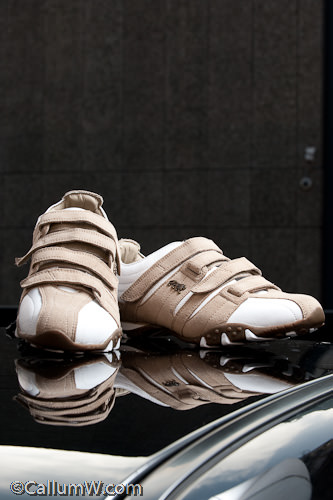
I know I’ll be cropping the frame so I’m not worried about the roof gutter being in the shot
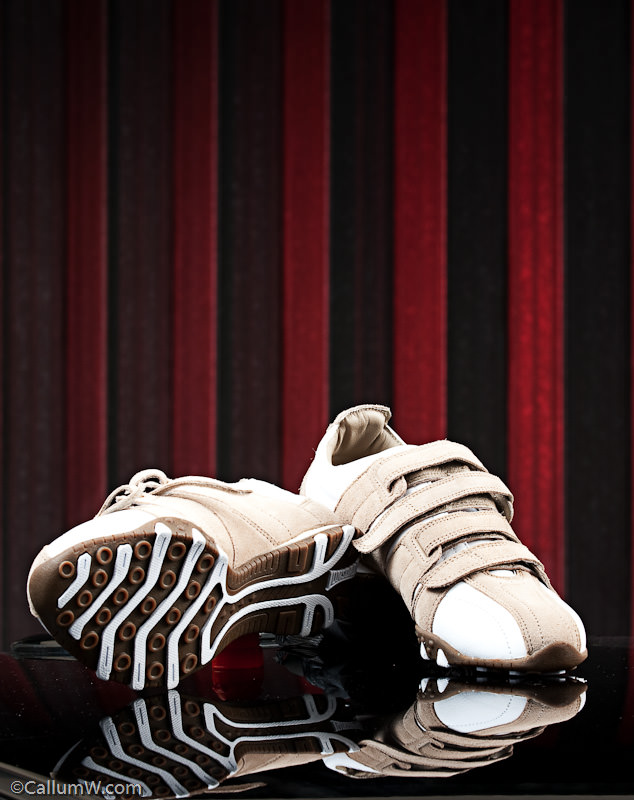
13:56 – I swing 180deg so I now have the Calumet Loading doors behind the shoes. I recompose them using the water bottle cap and my umbrella to prop them up. I show the sole of one shoe as it may be their USP. I would normally be told by the disigner or AD in a pre-meeting, but as they’re fictional I have to cover the bases.
The loading doors are angular, so I dig out my SB800 and gaffer on a red gel and PocketWizard and ask Rams (whoes now digesting 🙂 ) to be a VAL and aim the flash sideways and pointing 30deg towards the far end of the doors to feather the light. I initially set this at 1/4 @ 105mm to try and keep a deep red. 1st test shot:
Shoes need a wee bit of a tweak and the red isn’t strong enough for my liking. The ambient is wiping it out so I ramp it up to full power. Bingo 🙂
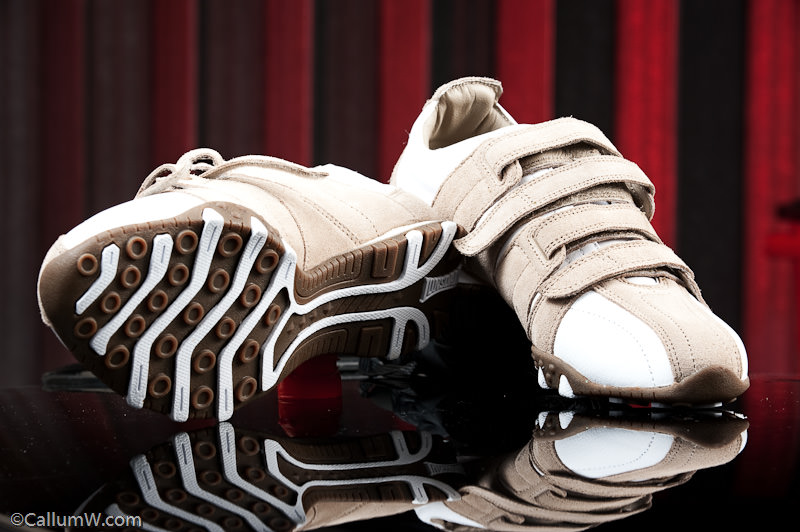
I also shoot it portrait so theoretical copy/text could be used above them (to give the fictional Art Director some options):
The ‘product’ type shots are ok, but we need to crack on so I get Rams to slip on the shoes and football t-shirt. Meanwhile I quicky scout over the road to a couple of areas that may have potential. I see the sun poking out over a rooftop and decide to shoot against it.
14:05 – Swap to my 24-70, put the camera in active focus mode and remove one of the SB900 umbrellas as I know I’ll need a hard light to combat the sun. We cart the lights and football over to the second ‘location’. I put the, still red gelled, SB800 on the floor by the brick wall and aim it up at about 1/2 power and 75mm zoom. The bare SB900 is set to 200mm and 1/4 power.
I move it slightly behind Rams to act as the rim light against the sun. I’m kicking myself that I didn’t bring a Justin Clamp to mount the flash sideways, but we don’t have time to run back and get it – got to keep moving. The SB900 with the umbrella is set to 1/1 and is slightly to my right – 180deg from the sun and acting as a softer fill light.
14:08 – First test shot. Need to try and pull the Aperture down to give the flashes a chance against the sun, but the PocketWizards are acting up(?). Test triggering is ok, but Camera triggering isn’t working. Very odd – never had a problem with them before. Switch it round with the one on the nearest SB900 and we’re back in action.
14:11– Tweak settings and get a solid 1/250s @f/16 @ISO400 (ouch)
I move Rams and the lights 5ft left to use the sun as a left rim and to get some more environment. Also change settings to 1/250 @ f/11 @ISO200
14:12 – Test shot …. looks alright. Sun is slightly dipped behind the building, but is filling Ram’s left side now and creating a clean rim light on his head.
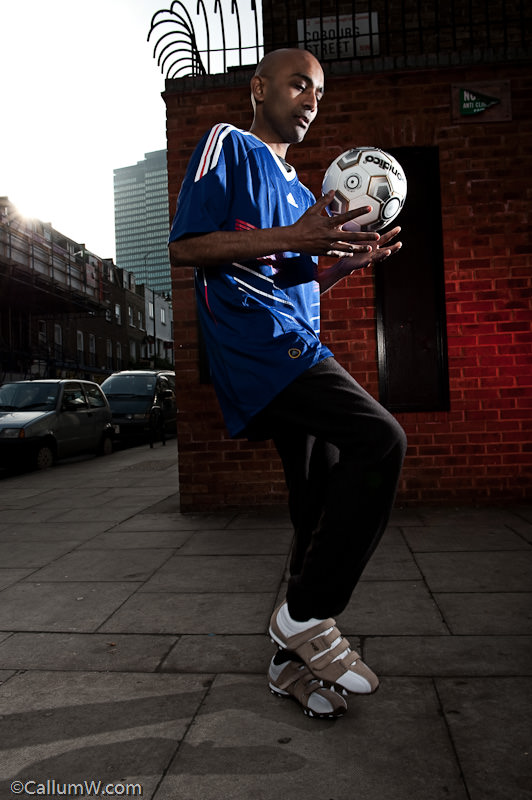
14:13 – I tweak the bare SB900 to 1/2 power as I want that rim light stronger and to give him more room to move about. Start shooting him doing keepy-up and trying to avoid pedestians in the shots. I also have to make a mad dash to save my Umbrella SB900 from tipping in the breeze and catch it (just) I reel off full length and cropped. I also get him to face me and lift his feet up to show me the sole a bit more in case it’s the fictional USP.
I can hear the SB900 and SB800 dumping. I’m trying to rush, but have to consciously wait 4s between shots. The SB800 is struggling to keep up, but I actually prefer it with the red more as an accent to the brick. No time to change it to to 1/4 power…. just shoot quicker so it doesn’t re-charge enough for a full power flash. SB900s are performing amazingly
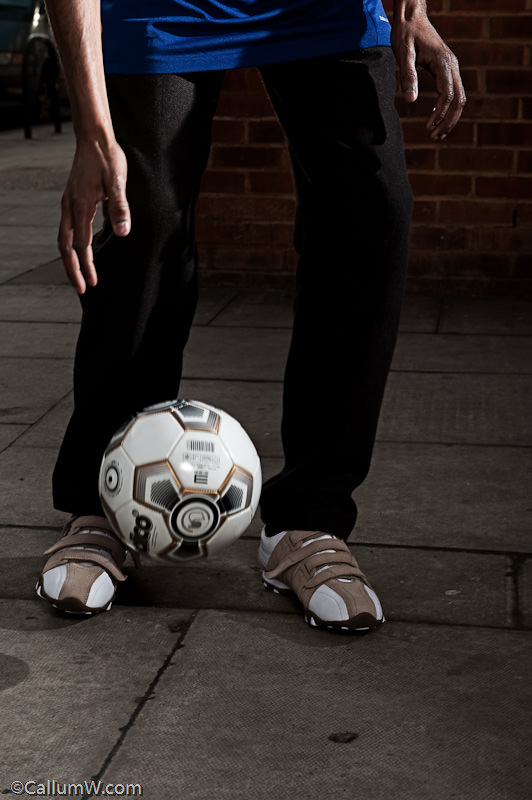
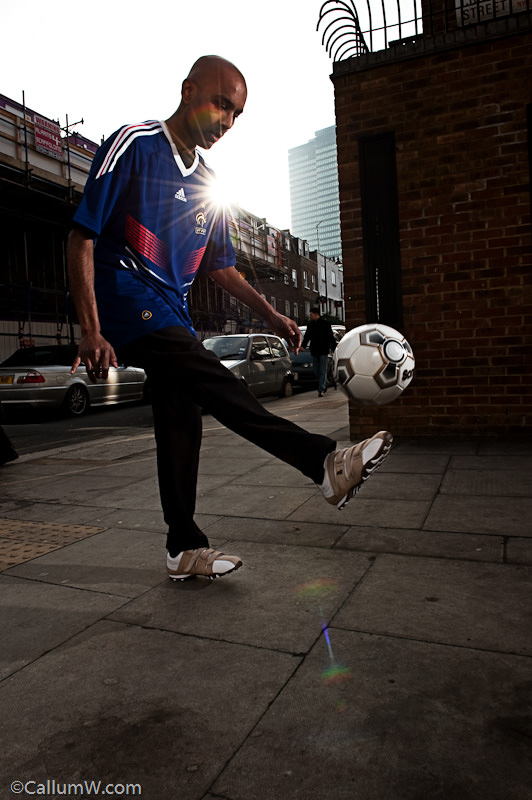
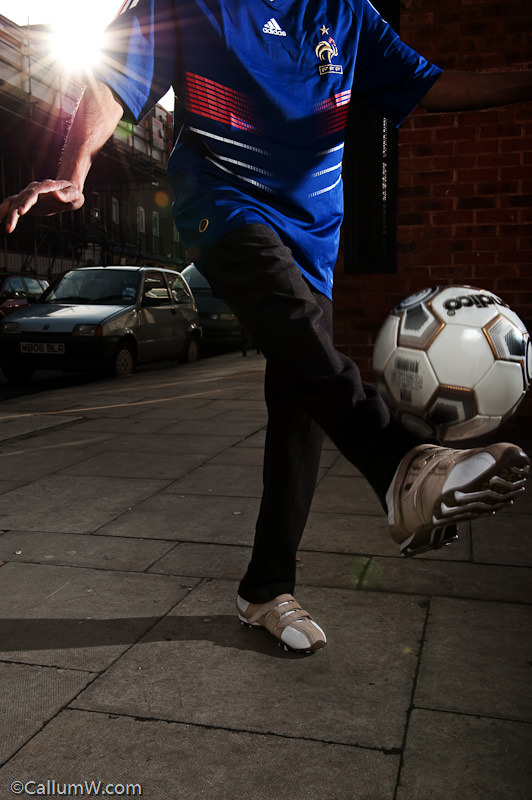
14:18 – 5 minutes later and it’s a wrap. We have to pack up, like, NOW, so we peg it back to the car and strip the stands and put everything back where it belongs. Annoyingly I manage to break one of the PocketWizards, but I fixed it later that night with some glue.
14:30 – We head back into the room and I fire up my old Acer Laptop. Meanwhile I grab my card reader out and pack the camera in it’s bag. Some others are editing too and Rams goes to chat.
14:35 – Laptop boots up and I download the card to Lightroom. Only 64 images including set-up tests. No big surprise as I tend not to waste card space
14:40 – I make my initial selection of about 15 and then switch to full screen to preview them with and then whittle out the ones I’m less keen on.
14:42 – Running out of time, so cull a couple extra and have 7 images left to edit.
14:44 – Disaster. The laptop hangs when trying to export the Raw to Photoshop. Too much data for my old laptop to cope with (my editing desktop does it in seconds 🙁 )
14:46 – Manage to kill the hanging apps and do a manual .Tiff export. Needs to be 8bit for speed and because they’re to be delivered as .jpg.
14:47 – Slow to export, but I finally get the first image to start editing. I use one of my quick-edit Photoshop Actions which uses blending layer modes to selectivly boost contrast and also apply a selective tonemap. Resize and save as jpg. 6 more to go, meanwhile I’m trying to tell Rams what expenses, use and licensing to write on the invoice.
14:58 – Last image complete. USB keyring in (no time to burn to CD)
14:59 – Deliver edited and original images + invoice with receipts to Tom. We then got kicked out while they review the assignment shots from everyone. I meandered outside with my sandwich and reflected on the last few hours and weighed up how we coped with a short shooting schedule.
The only thing I could compare it to is shooting a wedding where there’s constant deadlines through the day, but somehow this seemed more intense as we really only had 30 minutes to shoot in what should have been 2+ hours. I wasn’t extatic about the images as they would have been far more polished (esp the product shots) with more time, but in retrospect I knew I did the best I could in the 30 mins we had so I was content enough.
Here’s the final selection with the quick edit we delivered.
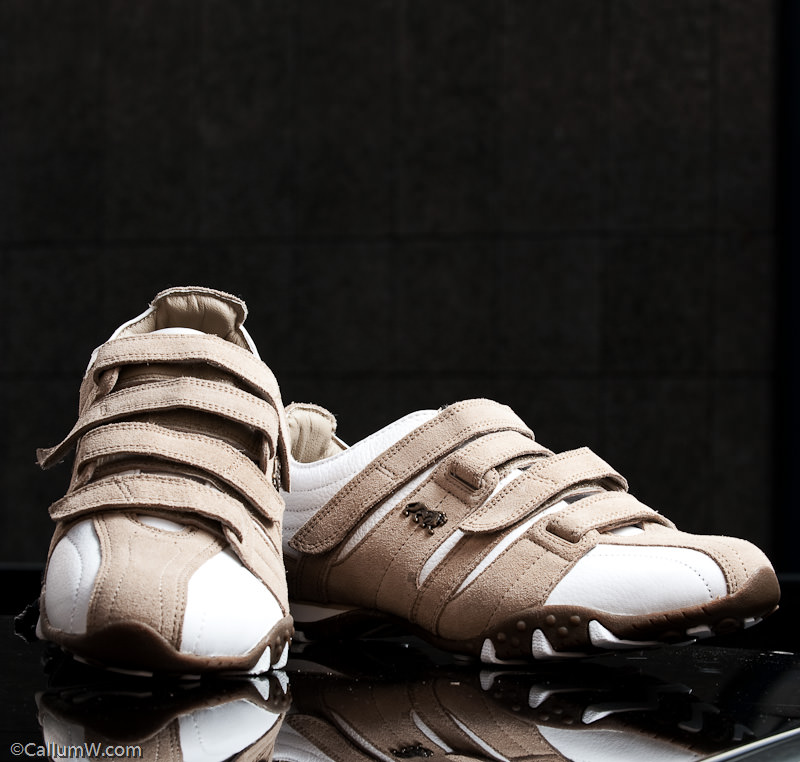
Tom reviewed our shots and gave us very positive feedback which was a relief and good to hear.
Interestingly he mentioned that the cropped shots were better as you detract from the product when you see the person’s face.Afterwords Tom looked at my portfolio, really like it and gave me a couple of tips which were the icing on the cake for the day.
How to build a PC for work purposes #4
So, following #3, all we have to do now is use simple methods to improve the performance of your PC/MAC.
The Pagefile
If you have 2 or more disks then you can move your windows pagefile onto the second disk. The pagefile is used by windows when the memory is used and so it caches some of it’s data using the pagefile. Moving it away from the disk that holds your Operating System will improve performance as it will utilise both disks rather than trying to read/write from a single disk while working.
The only exception to this is when your OS disk is much faster than your second disk (see SSD below) in which case it’s quicker leaving it as-isDisk Performance
Disks vary in performance, but are getting faster all the time
The fastest disks you can get today are SSD (Solid State Disk) and are basically the same as a keyring memory stick, but with a bigger capacity and set in a laptop HD case. Unfortunately they’re still an emerging technology and so they’re not cheap (£1 per 1Gb at the time of writing).But the benefits are:
No moving parts – virtually indestructible (take note laptop users 😉 )
Not affected by magnets – it’s all silicon and solder
SpeedTo elaborate the speed difference, regular SATA hard drives (HDD) have a seek time of approx 0.18ms (milliseconds). Pretty fast for sure, but becasue SSD have no moving parts, their seek time is about 0.01ms. Doesn’t sound like much, but when your system tries to access 2,000 files during a boot-up it shows.
Added to that, regular SATA HDD have a read/write transfer rate of about 70-80Mb/s maximum. SSD transfer data is about 220mb/sFaaaast
To put it in perspective, I installed a Samsung PB22-J 128Gb disk on my system and used Ghost to copy from my old 40Gb C partition on my old 320Gb HDD to this new disk leaving 78Gb spare (my old disk has been added to my external backup pool).
My old disk would boot my system from start to screen up in just over 60 seconds. Now it gets to screen up in 22 seconds.
I set the spare 75Gb as an S drive and only use it for pagefile and scratch data for photoshop and other applicationsHonestly, 128Gb is excessive for what I do, 64Gb would have been enough (40Gb+24Gb scratch), but it’s good to have a little wiggle room just in case.
Scratch Space/Disk
Lots of programs and operating systems use temporary areas to perform tasks in the background or write temporary files. By allocating the scratch space to use either a fast disk (SSD) or a second disk then this will also increase performance as you won’t be ‘stealing’ disk time from the operating system/program disk.Well, that’s about it. I’ve kept this series fairly simple so that most people can follow the logic and theory behind the principles I’ve written.
Feel free to comment or ask questions belowHow to build a PC for work purposes #3
So, following #2, the plan is to get a dedicated processing/editing machine and build it to the right spec and operating system for your work.
Now comes a crucial part, one which could be a lifesaver (figuratively speaking).
This post is the genesis for these series of posts and I hope if read only one of them, then this is it.A friend of mine once said, “There are 2 types of people. People who back up and people who’ve lost everything”
How to stay safe starts with how you set up your PCA bugbear of mine is that you buy a PC/Laptop and the manufacturer has a pre-installed copy of Windows/Linux/Mac on there that uses the entire disk.
Good right?
Wrong. It’s a bad way to work and I’ll give you an example of how it should be set up and why.If you go out and buy a massive harddrive (500Gb+) and install your system and off you go then you’re in for a potential fall.
If you only have 1 hard drive (as in a laptop) then you need to partition it into at least 2 sections.C drive – Operating System (OS) and program partition
D drive – Important/Work DataDepending on the OS you use determines the size of the C partition you need. For example:
Windows 2000 – 10Gb max,
XP – 20Gb max,
Vista – 40Gb max,
Windows 7 – 40Gb maxThe above will be more than enough to hold your OS and editing programs and that’s all it should have.
If you have 2 discs in your machine, then Keep the C partition the same sizes as above and use the remaining space as scratch space for programs or a temporary area for unimportant things that don’t matter if they’re lost.
Use the entire 2nd disk for your important data only.Now you have your system installed on the C drive, install all patches and updates as required and install programs so it’s ready for use.
But before you start you should use a tool to ‘snapshot’ your system. Norton have a program called Ghost which works extremely well at this and only costs approx £40. I only use the ‘recovery disk’ which provides the snapshot of the C partition and don’t bother with the rest of the Ghost application.So why do this?
Imagine you get a hard drive failure or a virus or some corruption that trashes your system.
What are you going to do?
If the system is lost or corrupt then you need to re-install the whole thing which can take a day+ depending how many applications you have and then to reset it to the way you like as well as recovering files for applications etc.
With Ghost, you can have your system back up and running within 15 minutes.The one proviso is that you do a Ghost of the C partition regularly (I do mine on the 1st of the month) and you only need keep the last 3 months available.
Now you know why it’s pointless having your system as 1 big drive as you’d end up having to ghost everything every time, not just the core of your system.The D data partition should have it’s own backup schedule which will be more frequent and should be replicated at least weekly to an external source. I replicate my data every time I add images to my library and for ‘critical’ work or finalised images I also store it externally (webspace, DVD storage etc.) to ensure recoverability.
I’ve had to do recover my system a few times and files a couple of times and this simple practise has saved me a huuuuge amounts of time and stress by just having a snapshot of the system to hand and recent copies of my important data.
Ironically I attended a workshop recently and the photographer was waxing lyrical about how film was for forever and digital images can be lost with a hard drive crash.
I didn’t interrupt him but inside all I could think was that if he had a fire in his studio then he’d lose all his transparencies forever.
Now you’re armed with the information above, your know that your system is much more safe and your critical files are recoverable.
With film there’s only 1 transparency, but digital can easily be replicated (thankfully) and this should be part of our workflow.Testing new Gear – Triflector and Lastolite EZYBOX (20″)
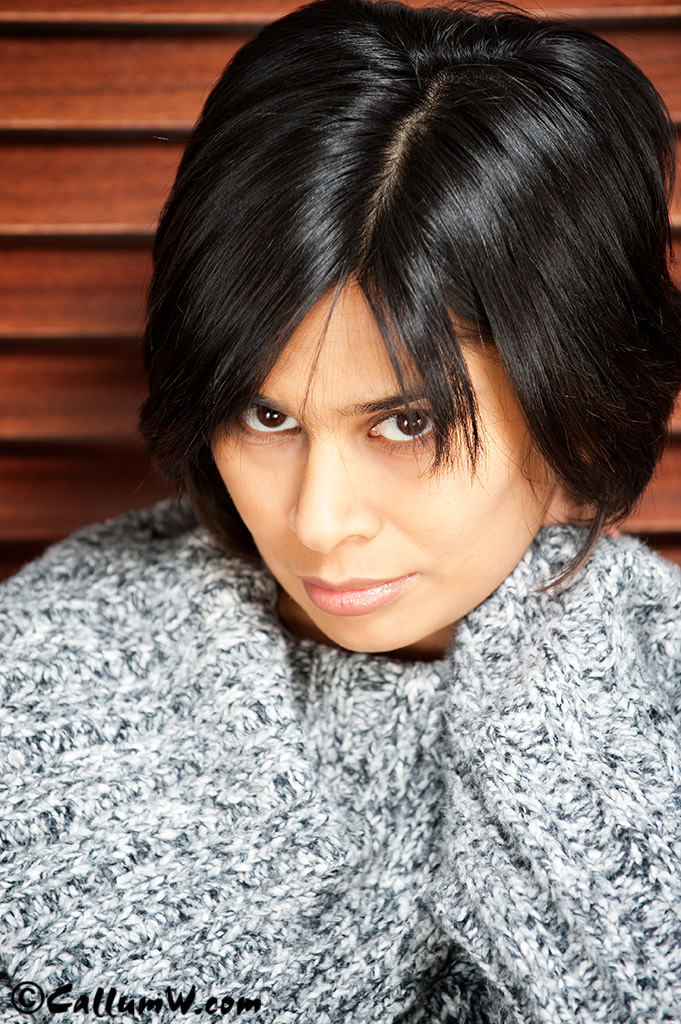
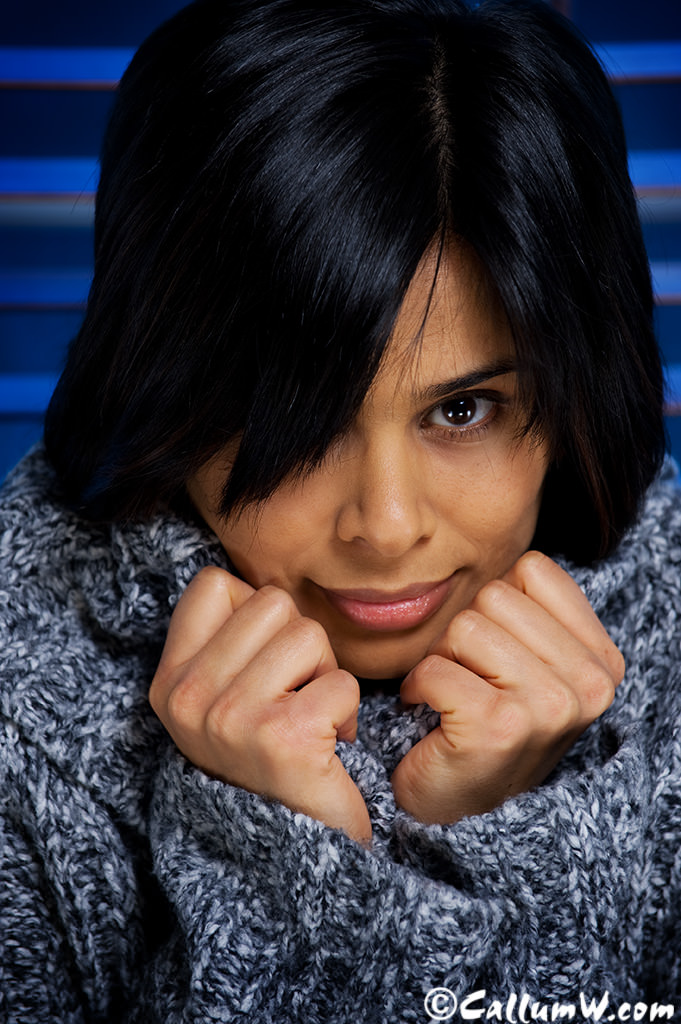
Got a whole bunch of new grip and lighting gear over the last few days and found a bit of time to do some basic testing in between paperwork to save my sanity before I go stir crazy. Managed to entice Prabha to stand in as model for the tests with promises of tea and cake as payment (she’s easily pleased 🙂 ) Here was the setup:
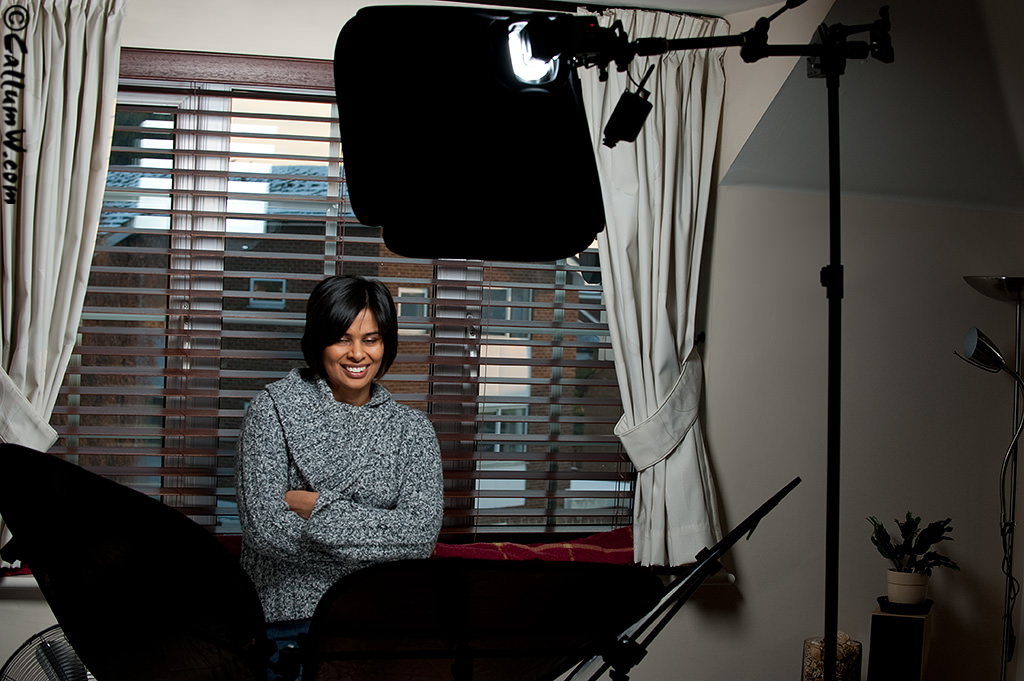
My impression of the ezybox is that it’s miles better than straight flash (obviously), but I prefer the feel and softer fall-off you get with shoot-through umbrellas. Overall though I was quite pleased with the results and I’m sure I will find a use for it when I want a slightly more sculpted shadow on the subject.
1 big downside. My SB-900 doesn’t fit into the ezybox coldshoe(!), so I had to use an SB-800. This is surprising considering that ithe ezybox is a newish piece of kit and the SB-900 has been available for quite a while.
<Correction: The SB-900 does fit, I just had to fit it on the other side of the coldshoe as it’s tapered to fit different sizes>
The Triflector is basically 3 small-med sized triangular reflectors mounted on a 3 legged bracket via rubber grips that let you position them in almost any direction. This gives an interesting catchlight in the eyes and give a more complete wrap of light around the subject.
Useful if you use just one light as I did here, and a viable alternative to clamshell lighting, although with the amount of coverage it throws back in the face it slightly washes out detail. I can see it being useful for muting the features of subjects with a lot of character in their face (think Gordon Ramsay), but that could defeat the purpose.
Overall I lean towards clamshell as a soft/beauty method due to it’s increase in control as well as giving slightly more contrast in the face. I can see the triflector will work well if I’m doing something corporate, so it will definitely have a home with me
Here are a few of the samples with Prabha so you can see the catchlights/shadow detail: